📲 Editing Campaign Sequences
2 min
Marketing tab > Campaigns
Click A1
- Rename A1 as needed
- Edit custom values for a1)
- Test
Click A2
- Rename A2 to match A1 as needed
- Edit custom values for a1)
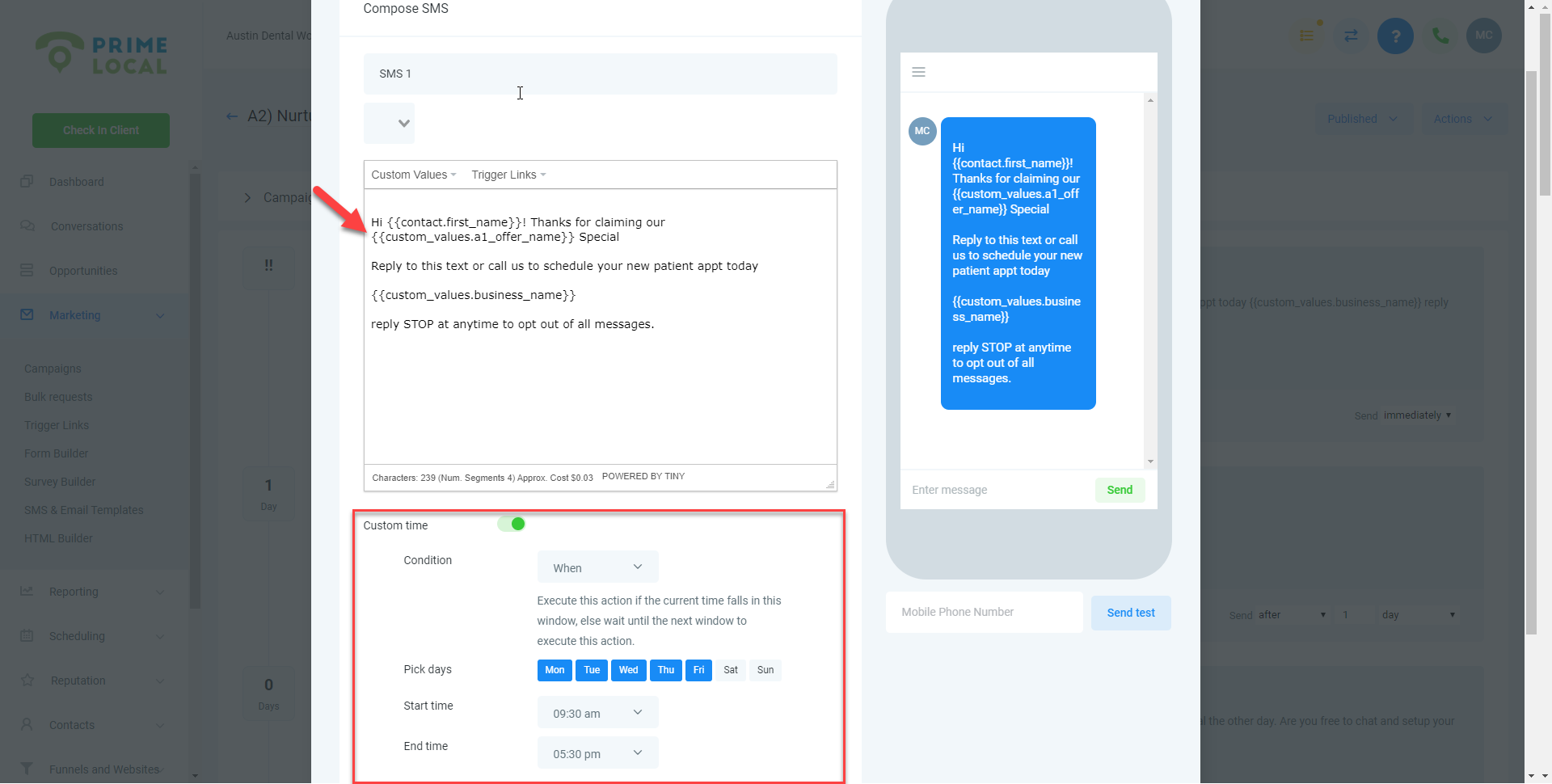
- Highlight the value that needs to be changed
- Click custom values
- Scroll to find a1 value to select
Make sure to bold or re-bold the text if needed
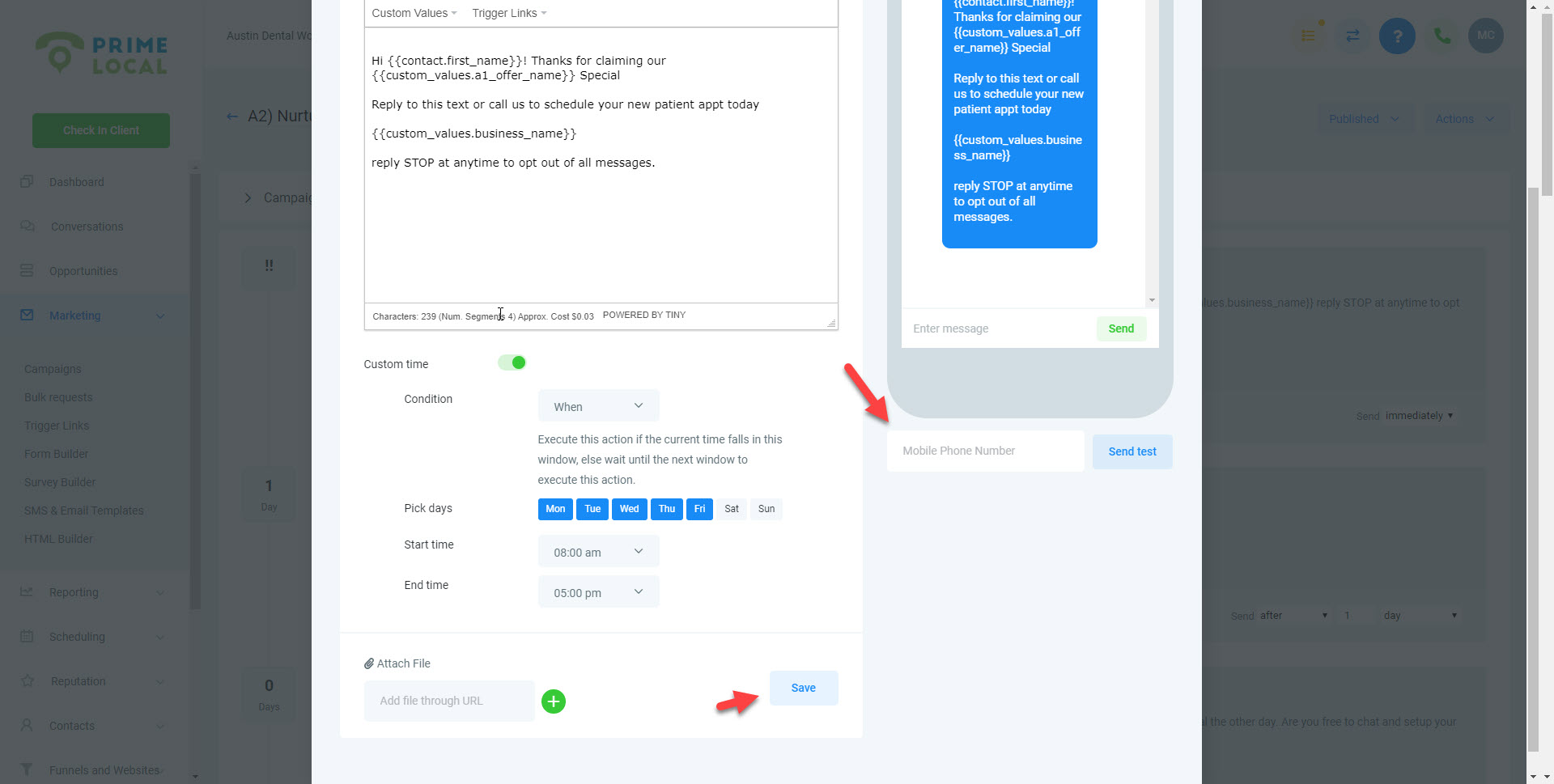
Edit custom time
- Condition: When
- Pick days: select the days the business is open
- Start and End times: Match the business open hours; if varies choose the closest options that all days share (Example -- Business is open Mondays 7am-3pm and Tuesday 10am-5pm, then use Start time 10am and End time 3pm
Test
Save
Edit Campaign Configurations
Use custom values to prevent an error during a future copy / paste situation.
Update SMS / Emails from minutes to days.
https://www.screencast.com/t/qFzNRnihgC make sure this first sms is set to 1 min... if you do immediate it ignores that window and goes out right away